
Why You Should Use Two-Factor Authentication (2FA) on Every Account
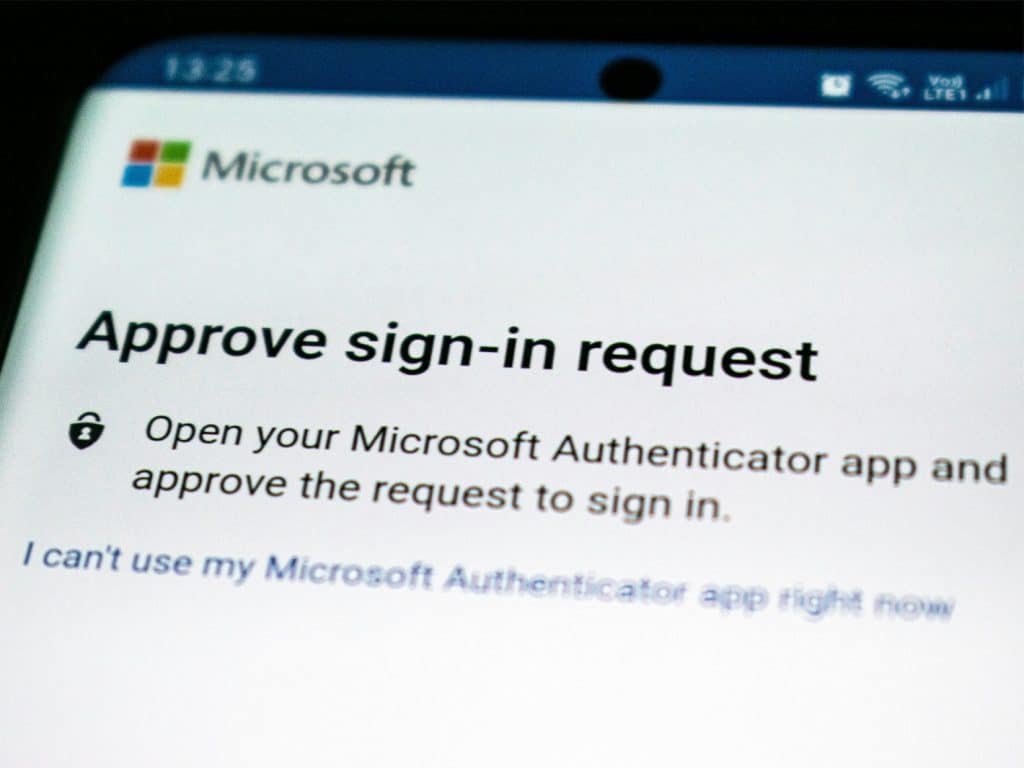
When you log in to an online account, you usually enter your username or email address and password. That’s single-factor authentication. But what if someone steals your password? That’s where two-factor authentication (2FA) comes in. 2FA means that after you enter your password, you’re required to provide a second form of proof of your identity, before access is granted. Two-Factor Authentication (2FA), also called two-step verification, adds an extra layer of protection to your online accounts.
Examples of second factors:
- A 6-digit code from an authenticator apps (Google or Microsoft Authenticator)
- A text message (SMS) sent to your phone.
- A physical security key (USB or NFC)
- A fingerprint or face scan
Even if someone steals your password, without the second factor they can’t log in. Enabling 2FA is one of the easiest and most effective ways to stay safe online.
Why Two-Factor Authentication Matters
1. Passwords Alone Aren’t Enough
- Passwords can be stolen in data breaches, guessed, or phished.
- If you reuse passwords across websites (most people do!), one hack can expose multiple accounts.
- Adding 2FA is like adding a deadbolt lock to your front door – extra protection for very little effort.
2. Stops Hackers in Their Tracks
Attackers need both your password and your phone (or physical key) to access your account. That makes most online attacks, including phishing and credential stuffing, ineffective.
3. Protects Your Money, Data, and Reputation
Think about what’s stored in your:
- Email inbox (password resets, private data)
- Social media (personal photos, business reputation)
- Cloud storage (documents, invoices)
- Online banking or payment apps
Losing access to any of these can mean financial loss or identity theft. With 2FA enabled, that risk drops dramatically.
4. It’s Quick and Easy to Set Up
Most major platforms such as Google, Apple, Microsoft, Facebook, Instagram, PayPal, and your bank already support 2FA. Turning it on usually takes under 5 minutes:
- Go to Settings → Security → Two-Factor Authentication.
- Choose an authentication method (app, SMS, or security key)
- Scan the QR code or verify your phone number.
- Save your backup codes somewhere safe.
Best Ways to Enable Two-Factor Authentication
Use an Authenticator App (Best Option)
Apps like Google Authenticator, Microsoft Authenticator, or Authy create time-sensitive security codes that refresh every 30 seconds. Because they work independently of your phone number, they’re far safer and can’t be compromised by SIM-swap attacks.
Avoid SMS When Possible
SMS 2FA is better than nothing, but text messages can be intercepted or redirected. If you can, switch to app-based or hardware 2FA.
Use a Hardware Security Key (For Top Security)
Devices such as YubiKey or Google Titan Key are physical USB or NFC devices you plug in or tap to verify logins. They are great for businesses or anyone serious about security.
Keep Backup Codes Safe
Keep your backup codes safe by storing them in a password manager or printing them out and keeping them in a secure location.
Stay Vigilant: 2FA Isn’t Foolproof
Even with 2FA, always:
- Be cautious of fake login pages asking for your 2FA code.
- Never share your codes with anyone.
- Keep your phone and computer secure with updates and antivirus protection.
- Use unique, strong passwords for every account.
Remember: 2FA + strong passwords = maximum protection.
Two-Factor Authentication for Small Businesses
If you run a small business or manage multiple systems, setting up 2FA is essential for:
- Microsoft 365 / Google Workspace logins
- Remote desktop or VPN access
- Cloud storage (Dropbox, OneDrive, Google Drive)
- Social media accounts for marketing
At PC Man, we help businesses across London secure their systems with practical cybersecurity solutions, including 2FA, password management, and staff training.
Make 2FA Your New Normal
The internet isn’t getting any safer, but you can make your accounts stronger. Two-Factor Authentication is quick to set up, free, and one of the most effective ways to protect your data. If you need help enabling 2FA across your devices, business accounts, or WiFi systems, contact PC Man today. We’ll ensure your systems are secure, dependable, and protected from cyber threats.



?)